
Print it once.
Point it anywhere.
QRCR.us is a dynamic QR code service: printable QR codes that point to short links we host, so you can change where a code goes — and see every scan — long after the ink is dry. No subscription to keep alive: buy credits once, they never expire, and a code that runs dry pauses instead of dying.
Sign in with Google — it's free to startEvery account starts with 25 free scans, and every new code redirects free for its first 24 hours. No card required.
Style: square
Somewhere right now, a printed QR code just went dark
It happens two ways. A static code has its destination baked into the ink — the day that page moves, the code is trash and so is everything you printed it on. A subscription dynamic code fixes that, then adds a worse failure: let the plan lapse and every code you ever printed stops working at once — mid-menu, mid-campaign, mid-conference. We wrote a plain-English diagnosis of both: why printed QR codes stop working.
QRCR.us refuses both deals. Your printed code points to a short link we host; you pay a few cents only when someone actually scans it, and unused credits never expire. If your balance ever hits zero, the code pauses — it never dies — and every printed copy comes back to life the moment you top up. New to the distinction? Start with dynamic vs. static QR codes, explained simply.
Create your code
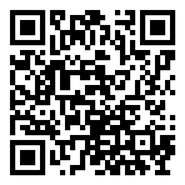
Paste a destination URL, pick a style — square, dot, rounded, diamond, star or heart — and download a print-ready PNG.
Put it on anything
Menus, flyers, packaging, stickers, business cards. The printed pattern never changes, so print as many as you like. Restaurant menus are the classic case — here's the full playbook.
Edit and track
Change the destination anytime — every printed code follows instantly. See each scan with time, referrer and device.
Pricing you can do in your head
Buy scan credits once and they're yours until used. A credit is only spent when someone actually scans your code — a code that sits quietly all winter costs you nothing.
- No subscription One-time top-ups. Nothing renews, nothing auto-charges, nothing to remember to cancel.
- Credits never expire Use them next week or next year — they keep.
- Paused, never dead Out of credits? Codes pause and resume the moment you top up. Reprint nothing.
Subscription prices verified Aug 2026 (details and break-even math in the pricing comparison). Above roughly 280 scans a month an unlimited-scan subscription wins on price; we say so there too.
Subscription QR platforms bill you every month whether anyone scans or not — we checked the current numbers in our 2026 pricing comparison. Here the math is just the math: $5 is 100 real scans, whenever they happen. All purchases are final — see the Terms of Service.
The things people ask before signing in
What happens when my credits hit zero?
Your codes pause. Anyone who scans one sees a short “this link is paused” page instead of an error, and we email you once. The moment you top up, every printed copy works again. Nothing is deleted and nothing needs reprinting.
Do credits expire?
No. Credits stay on your account until a scan uses them, whether that is next week or in three years. There is no subscription and nothing renews or auto-charges.
What counts as a scan?
One credit is used each time a real person follows your code to its destination. Scans during a code’s first 24 hours are free. Search-engine crawlers, link-preview fetchers and chat-app unfurlers are detected and never billed, and a single address hammering a code is rate-limited without charging you.
Is it really free to try?
Every new account starts with 25 free scans, and every new code redirects free for its first 24 hours. No card is required for any of that. The first pack is 100 scans for $5.
Can I change where a code points after printing?
Yes, at any time and as often as you like. The printed pattern encodes a short link we host; you edit the destination in your dashboard and every copy already out in the world follows instantly.
Why only five links per account?
Each account can hold 5 live codes. That covers most menus, packaging runs and campaigns, and keeps the service simple. Delete a code you no longer use to free a slot, or email us if you have a real case for more.
What is your refund policy?
Credit purchases are final; see the Terms of Service. Because credits never expire and nothing renews, the worst case is a balance that waits for you. Start with the smallest pack if you are unsure.
What does signing in with Google give you access to?
Only your name, email address and profile picture, which we use to create and secure your account. We cannot read your mail, files or anything else. Details are in the Privacy Policy.
Do your homework — we'll help
Straight answers, no gated PDFs — including the cases where the right move is to not pay anyone, us included.
Why did my printed QR code stop working?
Diagnose a dead code in 60 seconds, learn which failures are fixable, and stop it happening again.
Dynamic vs. static, explained simply
The one difference that matters, how to tell which kind you're holding, and a plain rule for choosing.
QR codes for restaurant menus
Print sizes that scan from a chair, lamination gotchas, what to link to, and honest cost math.
QR code pricing, compared
Verified 2026 subscription prices, pay-per-scan rates, and the break-even arithmetic between them.
Do QR codes expire?
The pattern never expires. The thing it points to can. How to tell which kind you have and whether yours is at risk.
How to test a QR code before printing
A five-minute check that catches the mistakes people discover after the print run: size, contrast, the wrong link, and a code that dies later.
Bitly QR codes after you cancel
What Bitly's own policy says about printed codes once you stop paying, what to check before you cancel, and how to avoid the problem next time.

QRCR.us is built and run by one person, not a growth team. I got tired of watching printed QR codes die when a subscription lapsed, so I built the version I wanted: pay for scans that actually happen, and a code that pauses instead of dying. Email lands in my inbox and I answer it myself. Support Team · [email protected]
Prove it to yourself first
Every account starts with 25 free scans, and every new code redirects free for its first 24 hours — long enough to create one, print it, stick it on something, and watch real scans land in your dashboard before you spend a cent. No card required.
Sign in with Google — create your first codeWe use Google Sign-In only to create and secure your account: the app receives your name, email address, and profile picture — it cannot see or do anything else with your Google account. Details are in our Privacy Policy.